
Accessibility
A GxpManager application can be accessed from any workstation, 24 hours a day. All you need is an Internet connection and a web browser.
The recommended browsers for logging on are Firefox and Google Chrome.
Firefox version: 32-bit and 64-bit both available on 64-bit operating systems, available from Windows 7.
Google Chrome version: latest version 134.0.6998.118.
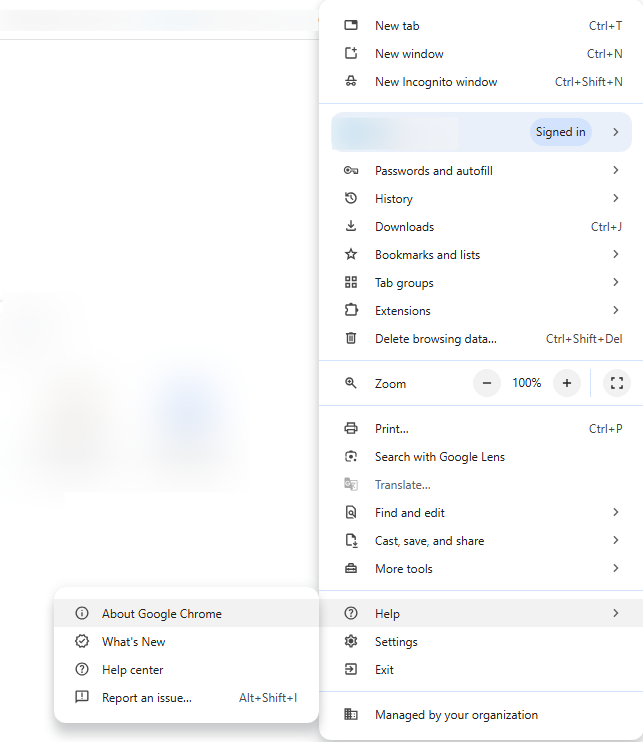
- To find out which version you’re using: Launch Chrome, Firefox.
- Click on About Google Chrome, Firefox.
- A box appears, indicating the version number.
- If Chrome is out of date, uninstall it and download the latest version of the browser from its file in the software library.
To connect to a GxpManager application, your account must first be created by an application administrator, via the GxpManager access rights management module.
Connection to an application is therefore via a URL associated with the application and your login details, supplied by the GxpManager editor.
After launching one of the supported browsers, open the login portal using the URL provided by GxpManager.
Information
We recommend that you do not connect to GxpManager via Microsoft Edge (possible by default on Windows 7 and 10) or Internet Explorer (Internet Explorer 11 is no longer supported by Windows). Not supported by GxpManager).
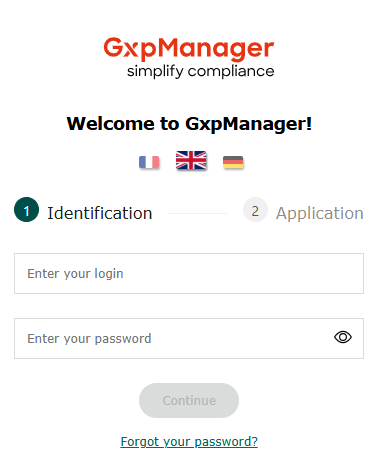
Identification
- Enter login
- Enter password
- Click on the “Continue” button
Information
To comply with regulations, automatic password storage via the browser or an extension is no longer possible (as of version 7.5.13) at login.