
Recording grid
Clicking on a family/table in the left-hand menu opens the associated grid. A grid is a table in which each row corresponds to a record. The fields relating to this record are arranged in columns.
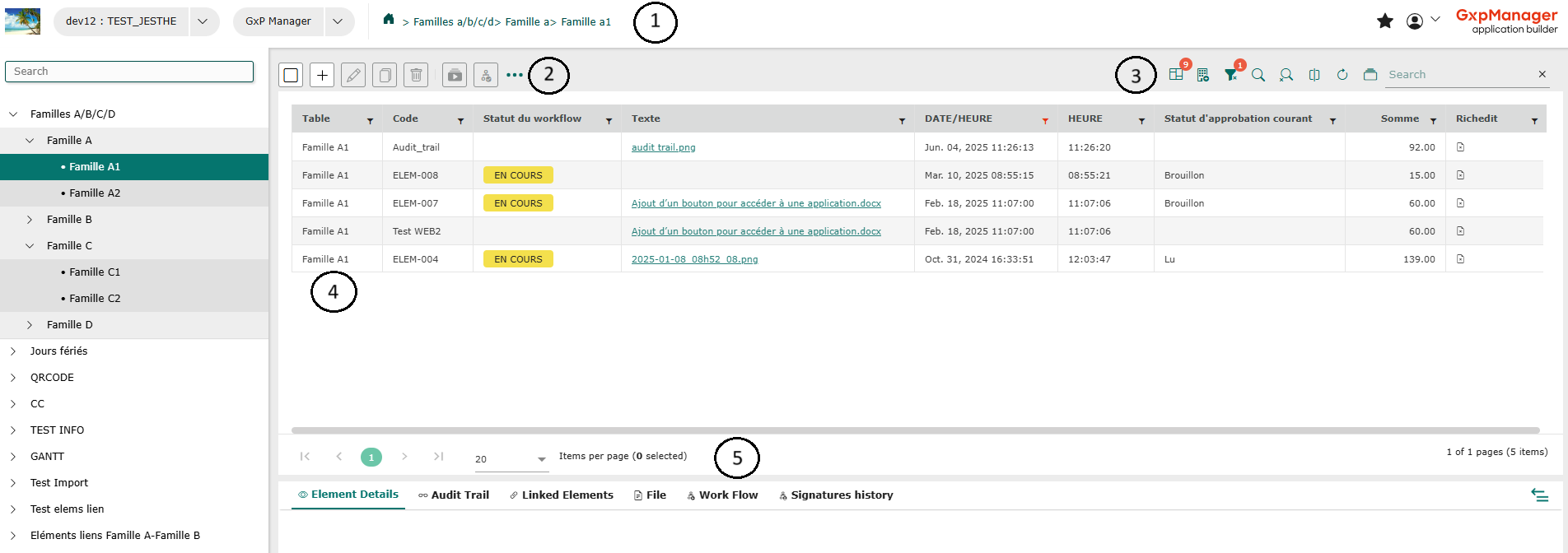
- Header
- Action bar
- Control bar
- Main grid
- Link grid
The display of a grid can be customized using the following functions:
- Search field: you can search for one or more records by entering the beginning of a word or number in the search field.

- Change column order: you can change the display order of grid columns by clicking on a column header and dragging it to the desired position.
- Record grouping: records can be grouped according to the data in a column. To do this, click on the icon that shows/hides the grouping area
 (to the left of “Search”), then click on a column header and drag it to the indicated location (above the record grid).
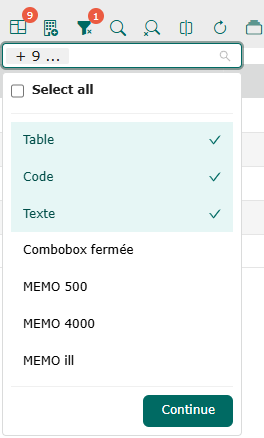
 - Show and hide columns using the “Select visible columns” icon: check the column labels to add them to the grid, or uncheck them to hide them from the grid. Confirm by clicking on “Continue”.
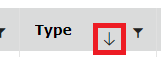
- Sort records: you can sort grid records by column content, using ascending/descending order. To do this, click on a column header, and the ascending/descending arrows will appear.
- Filter records: you can filter columns to display the desired records. To do this, click on the icon to the right of the column header label
 . Several tools are available:
You can view the number of pages and the positioning per page in the bottom right-hand corner, as well as the number of grid elements.
Depending on its position on the pages, the number of the page you are on is shown in green at bottom left, along with the number of items selected.
