
Accessibility
This function is available to all users throughout the GxpManager application.
Information
If you do not have the rights previously defined in the GxpManager Full interface, a message will confirm that you do not have access rights to perform the action.
The menu in an application breaks down into 3 levels: a group, a family and a table.
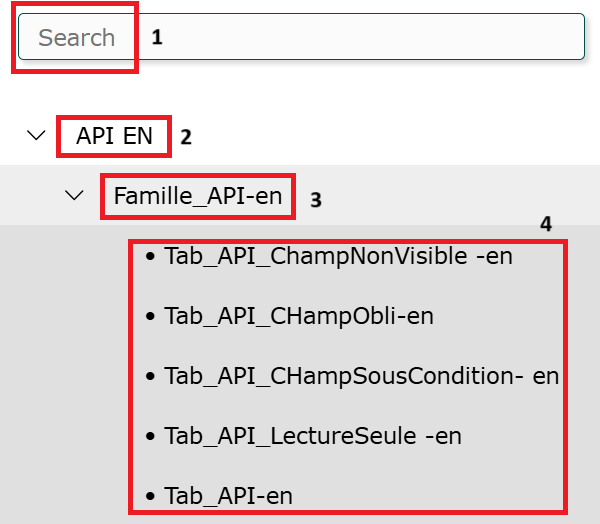
- Search in menu: Group/family/table search field: you can search for a family, table or group by entering the first letters of the family or table in the “search” field at the top left of the screen.
- Group: A group brings together families and tables.
- Family: A family is a group of tables. When a family has a single table, the family is visible in the menu.
- Table: Several tables can be defined for a family. A table is the location where data is stored.