Accessibility
Publication is subject to user rights management.
The availability of this feature depends on the application’s configuration (publication model available). A published document can be stored automatically after publication in an external document table.
Publish a document without inserting it in an external document table
To automatically publish a document according to a template defined in the configurator (administrator interface), select a record, place the mouse cursor on the “…” to the left of the toolbar and click on the publish icon.
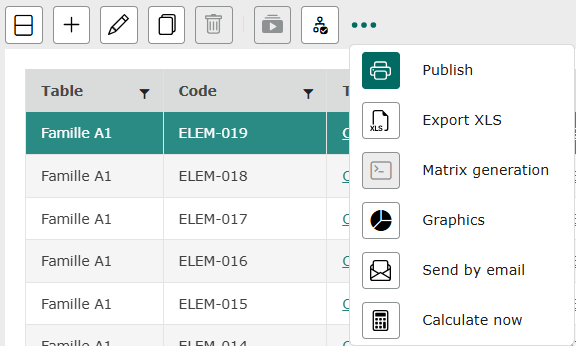
The document integrates data from a record according to the defined publication model.
Information
If a table does not have a publish template, the “publish” icon remains grayed out when a record is selected.
Once you’ve clicked on Publish, a window opens, allowing you to select the publication template and file format (PDF or WORD) via a drop-down list.
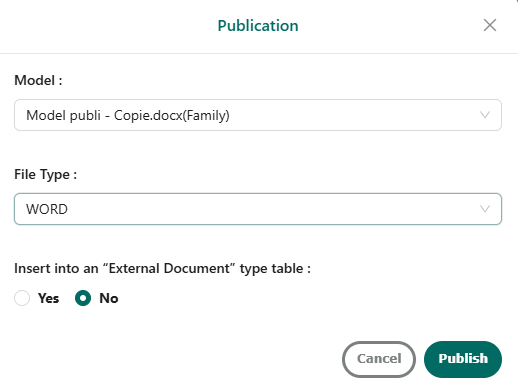
The popup window that appears also offers the option of inserting into an “External document” type table. Answer no if you don’t want it to be automatically saved in the application.
Confirm your choice by clicking on “Publish”.
The download takes place, and at the bottom right of the screen a message indicates that publication with the selected template is complete.

Inserting the published document in a table
To insert a published document into a table, repeat the same steps as for classic publication, then answer “Yes” and select the table where the document is to be inserted, as shown below.
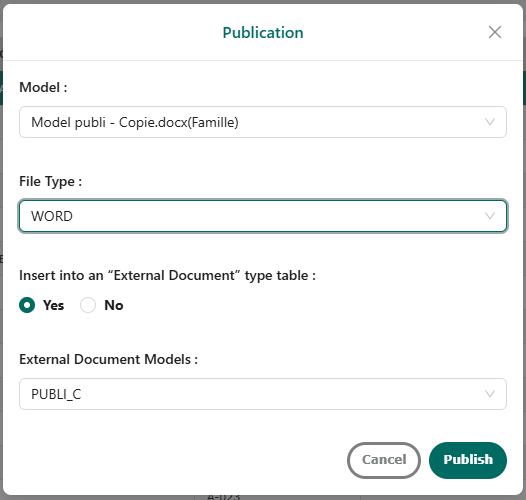
Confirm your choice by clicking on “Publish”.
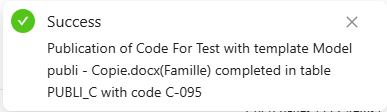
At the bottom right of the screen, a message indicates that publication with the selected template is complete. The file is now available in the desired table, along with the associated code.
In the table where you have chosen to insert the document, you’ll find the code as well as the published document saved in the application, accessible via a link.

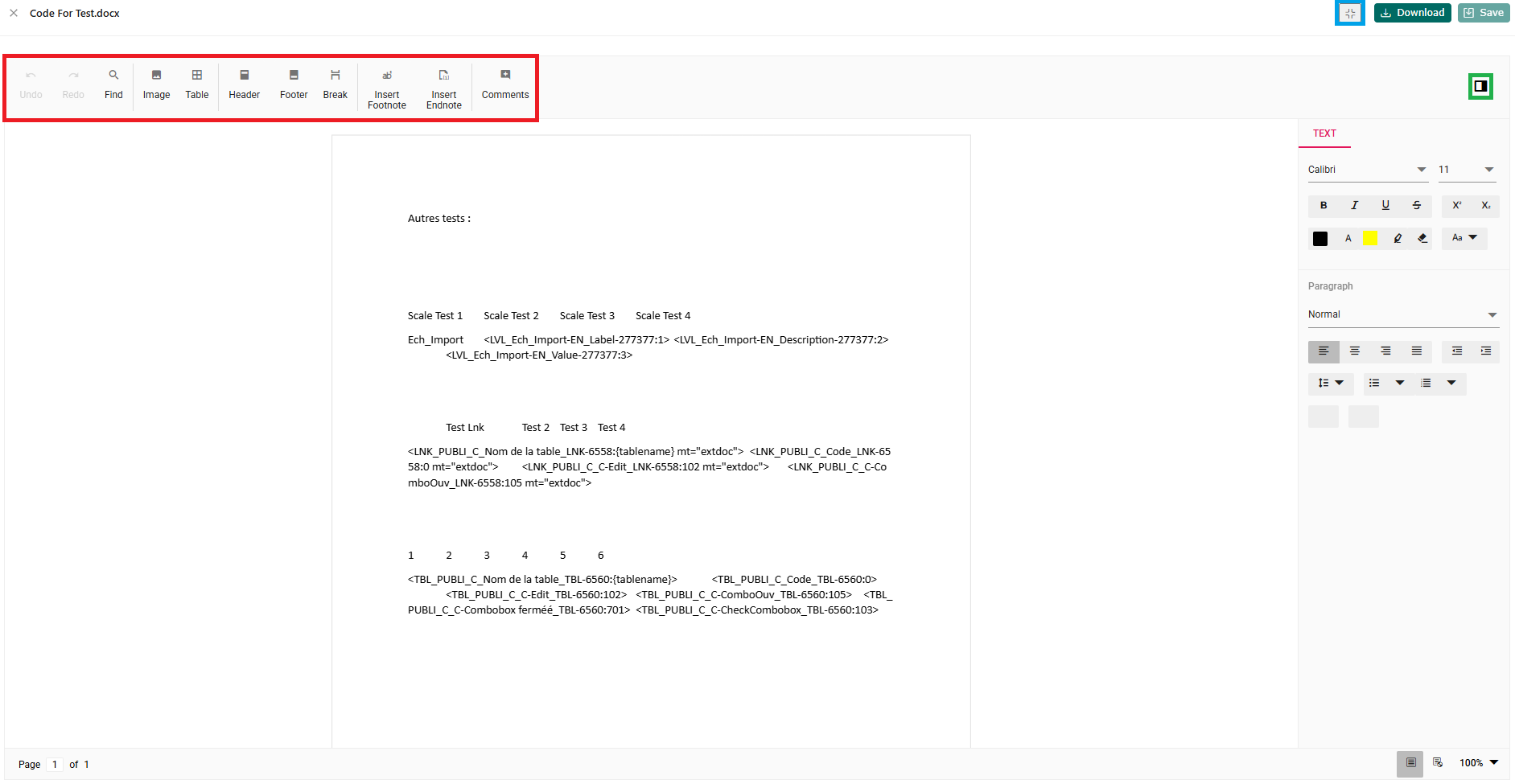
Clicking on the link opens a new page on which you can annotate the document using the toolbar (red box), enlarge or reduce the window using the button at top right (blue box), hide the properties pane (green box), and also download and save the document.