
Accessibility
The duplication of a record is subject to the management of the connected user’s rights.
Duplicating a record
To duplicate a record, select it in the grid and click on the “Duplicate” icon.  in the toolbar.
a
After clicking on “Duplicate”, a pop-up window appears, asking if you wish to :
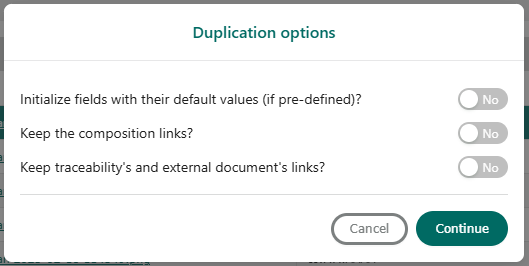
- Initialize fields with their default values (if defined): when we have fields with a default value, if these fields have been modified on the original record, checking this box will reset the default values in the duplicated record.
- Keep element links: duplicate linked elements.
- Keep traceability and external document links: Duplicate traceability and external document links.
- If you wish to duplicate the entire record, tick the boxes and click on the “Continue” button. A “Duplicate” window opens, displaying field information and linked elements.
- Click on “Save” to validate the duplication request.
A message in the bottom right-hand corner of the window indicates that the element has been successfully duplicated. The record is now duplicated.
