
Accessibility
This function is available as soon as you can connect to a GxpWeb8 application.
Access to logout menu
After using a GxpManager application, you can log out of the application at any time: click on the logout menu (down arrow at top right of page).
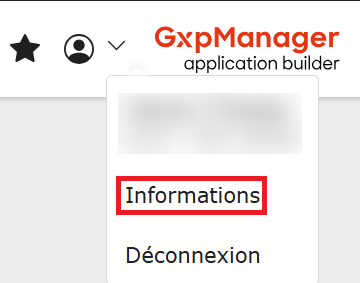
Select “Logout” to close the application.
Information
We recommend you log out of the application before closing the browser.
You can log out after entering your login/password at the identification stage.
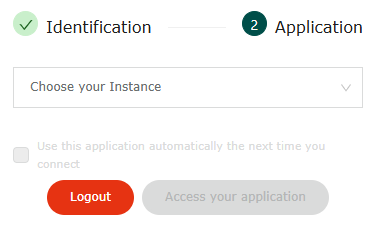
Automatic logout
An automatic logout is set up to disconnect the user after 20 minutes of inactivity. This value is not configurable.
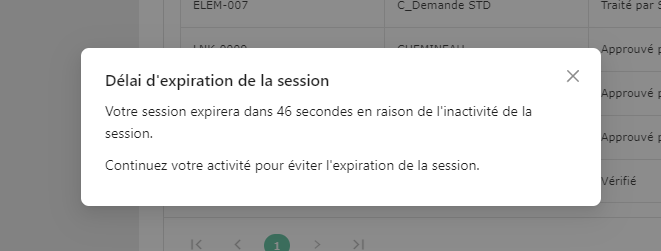
A pop-up informs you that the “Session has expired”, and remains displayed for 1mn. You will then have to re-enter your password and login to access the application again.
An automatic logout is also performed if the browser is closed without first logging out.