Accessibility
Managing composition links requires an administrator profile with configuration rights.
Definition
The composition link corresponds to a 1-N link. This means that the form can be linked to a single record in the linked table.
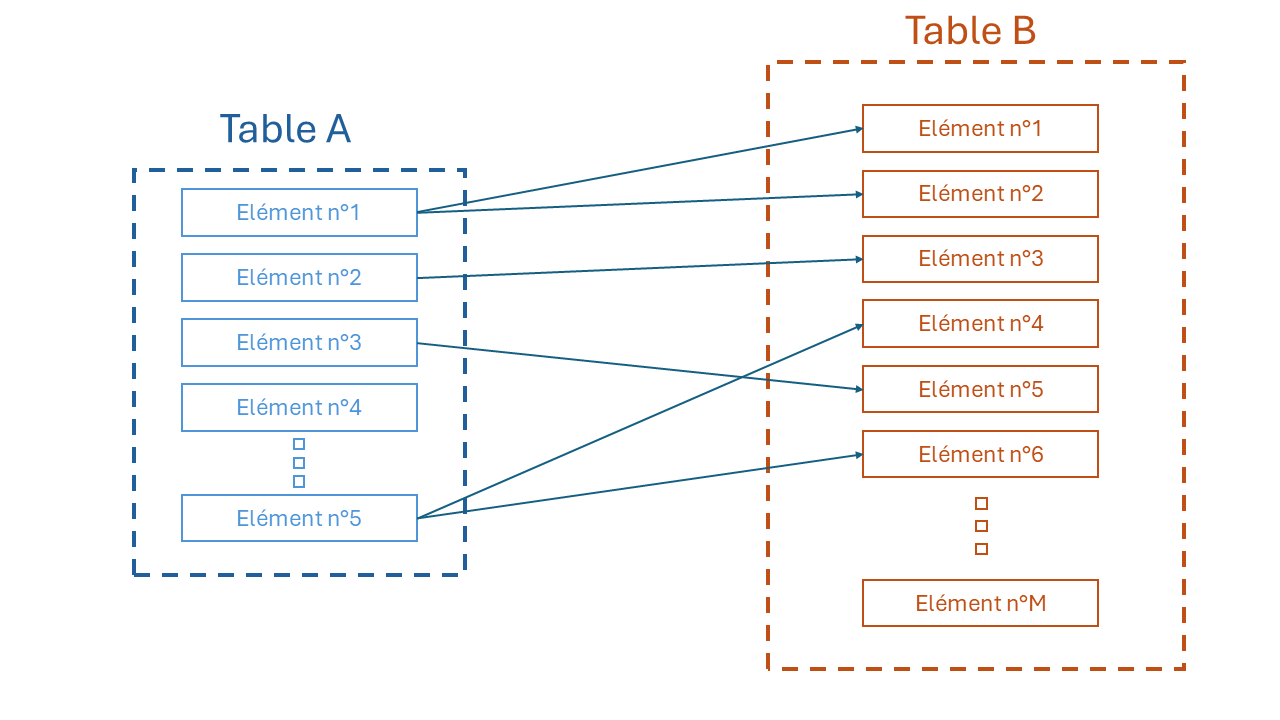
Composition links are used to create a “one-to-many” relationship (1-N). If table “A” makes up table “B”, elements in table “A” can be linked to several elements in table “B” with composition links. But each element of table “B” can only be linked to a single element of table “A”.
Create, link, unlink a composition link
The form allows you to enter data in fields specific to the table on which the form has been opened. This same form can be used to view tables that have a composition link with the open table.
In the top right-hand corner of the form below, you can see which tables are linked to the currently open table.
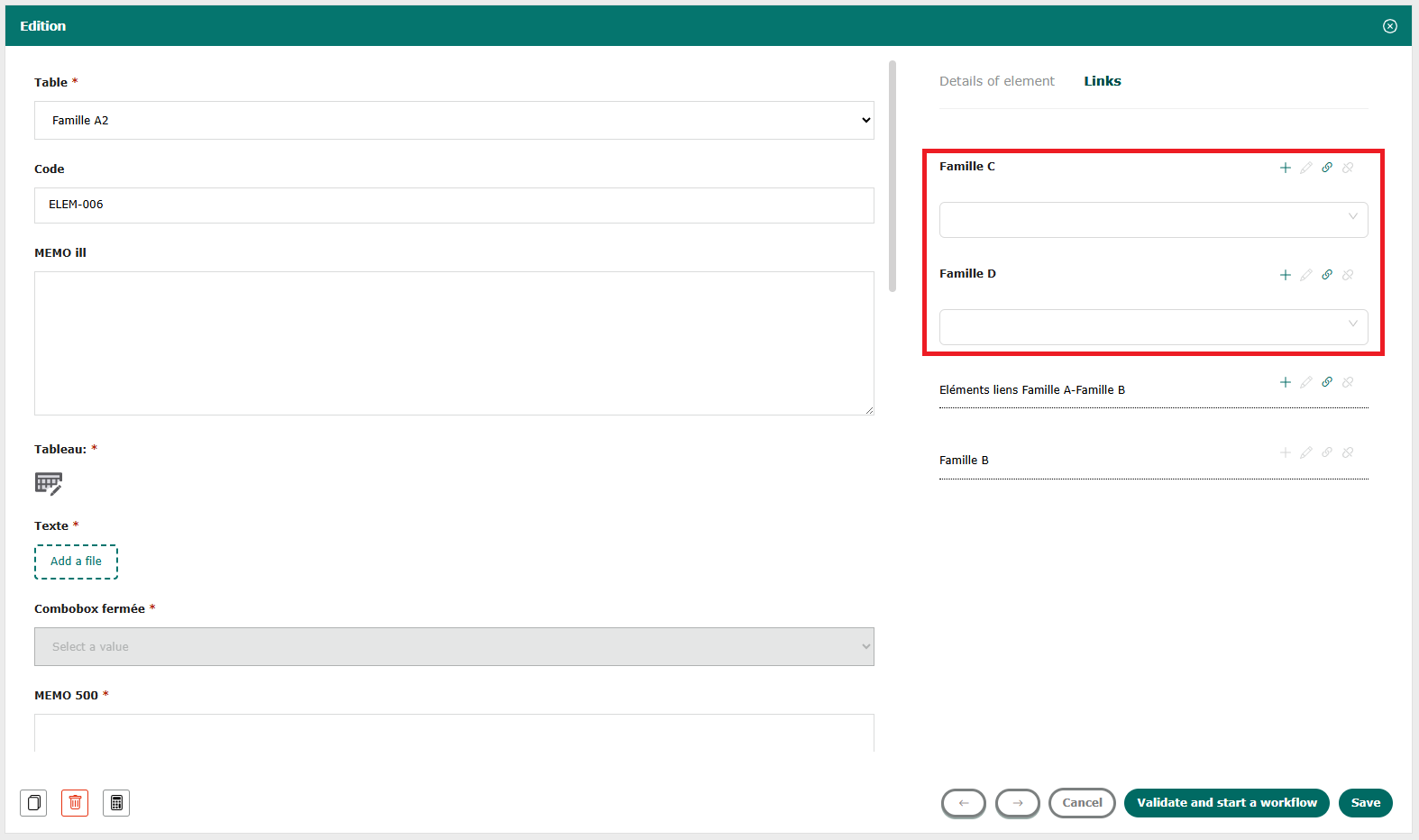
The following buttons can be used to create a composition link:
- Add
 :if you wish to link to your form a record that does not yet exist in the linked table, click on the “Add” button. The associated table’s form opens, and you can enter data in the fields and click on the “Add” button. The new record is created and linked directly to the form.
- Link
 :if the record you wish to link already exists in the linked table, open the drop-down list and select its code.
When using the “link” functionality, the grid of the linked table opens, select one or more records and click on the “link” button. The record is linked to the form.
- Ctrl + A: selects all records ;
- Ctrl + shift + click: selects all records between the first and second click;
- Ctrl + click: selects multiple records.
- Unlink a record linked to the form. By clicking on the “unlink” button, the record is no longer linked to the form.
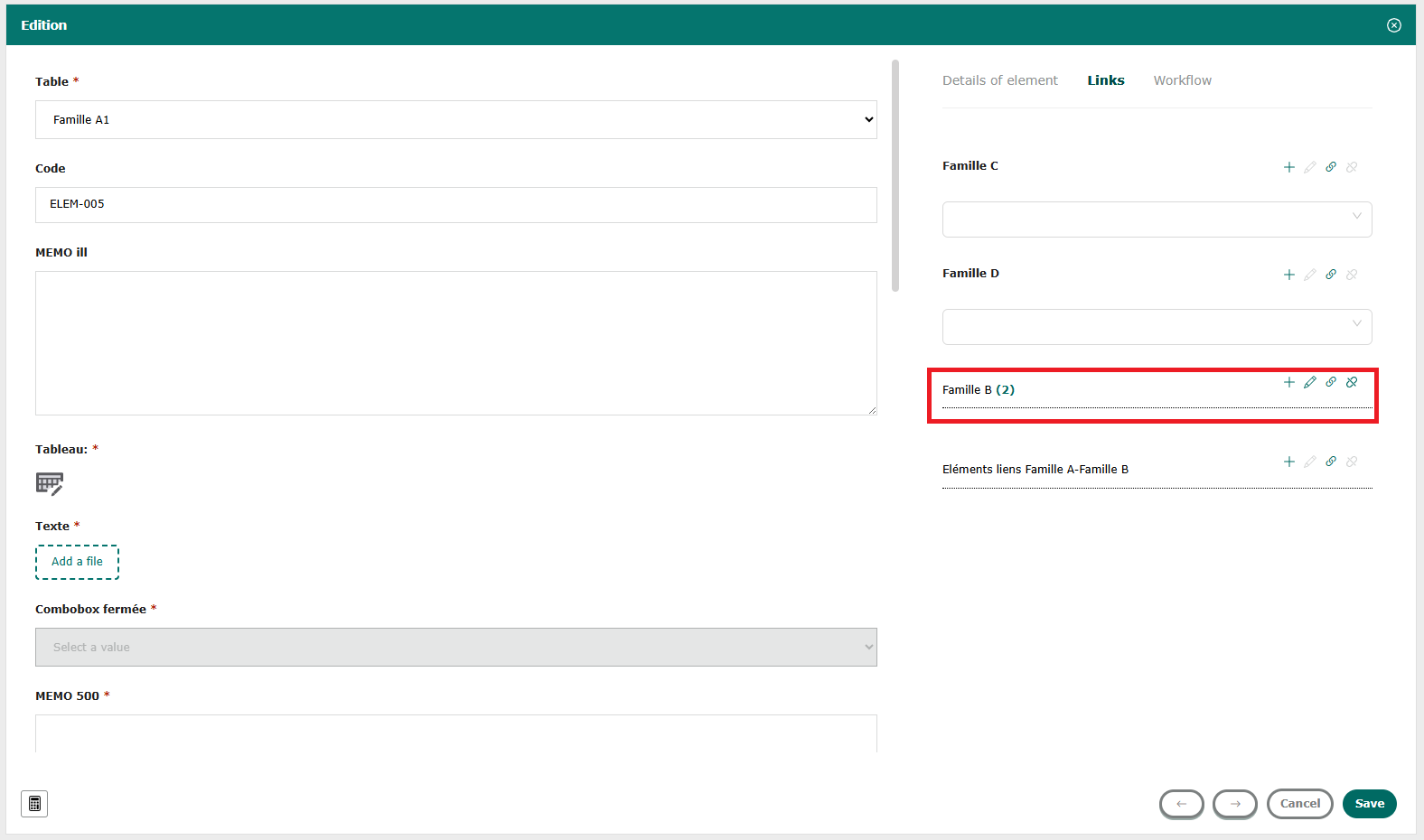
By clicking on the unlink button  , the record is no longer linked to the form: the information disappears and the unlink button is grayed out.
The reverse composition link is similar to a traceability link in light grey in the bottom right-hand corner of the form. Several elements from another table make up this record. As with a traceability link, it will have a number specifying how many records are linked.